I make some changes on the throwing function, so that it likes shooting instead of throwing. When apply into our shooting task, the bullet was not going to explode when it collides with the object.
To fix this problem, I add the collusion detection of the bullet. When the bullet collide with object, it will disappear.
And I add the explosion effect when the bullet is collide with other objects.
I apply the throwing function on player, and it works with little problem.
Since the path is parent to the character, the sphere will update the throwing direction along to the latest path position. It makes thing comes weird.
I fix the problem by temperately remove the parent relationship between the character and the path when the player release mouse button. The path will parent to the character again only if the sphere is successfully throw out.
The next step is to build the auto action script to the slime so that it can affect the surrounding object instead of waiting player to trigger it.
I build a simple demo about the function:
Slime will inhaling the surrounding object that is marked as ‘Food’
The inhaled object will be destroyed after a while
But I find a problem during the development process. The initial rotation of the slime seems not correct, therefore I add an empty game object as a reference to the slime to make the slime can work as expected.
A new function I added into the script to make the animation go smoothly is ‘auto play next clip’. As the animation will stop if it is a clamp animation which means the animation will only play once, the model will not be playing any animation before we told it to do so.
I would like to talk about the follow-up enhancement of the pervious post.
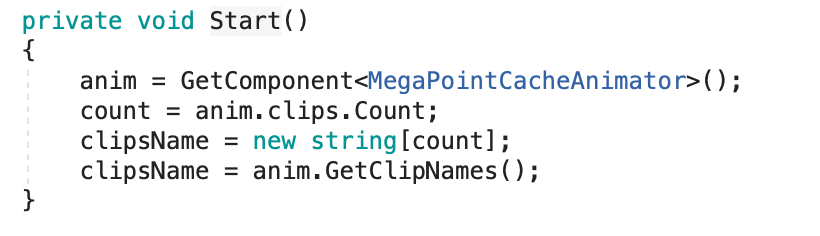
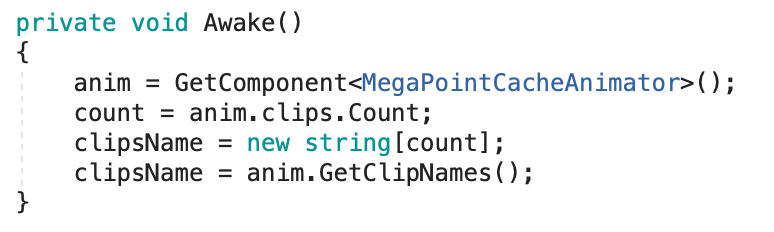
The function I made last time cannot grab the clip information from the children “ObjectPCAnim" script. It means I need to always check what clips is included inside the Mega-Fiers animator manually which is such an inconvenient thing for a programmer.
Therefore, I figure out why it happened and I make a little adjustment on the function to make sure the clip information are always grabbed before using.
beforeafter
The different between them is just placing under different function.
I am trying to add the Slime reaction to player’s action in order to create the feel of interacting with the slime.
To achieve it, I have to make sure all part of slime must run the animation at the same time.
The are 3 components inside a slime.
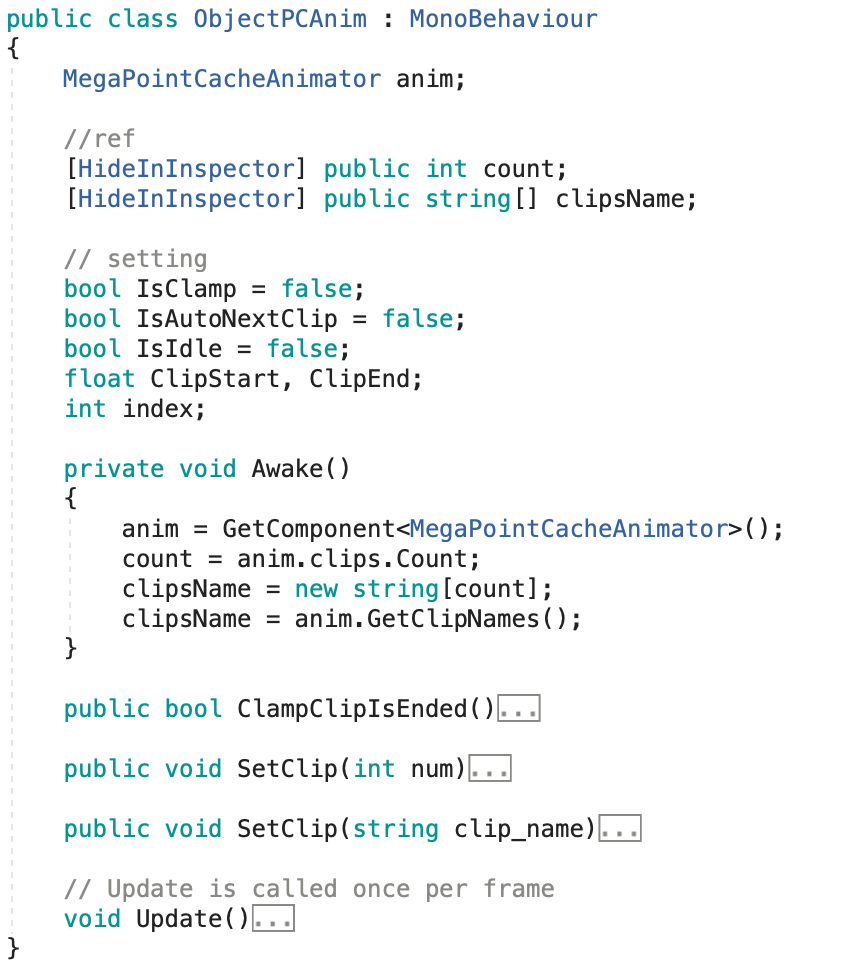
In this test, I add the following customised script called “ObjectPCAnim" to each component so that I can take out the information from Mega-Fiers script and control the current playing clip of Mega-Fiers animator.
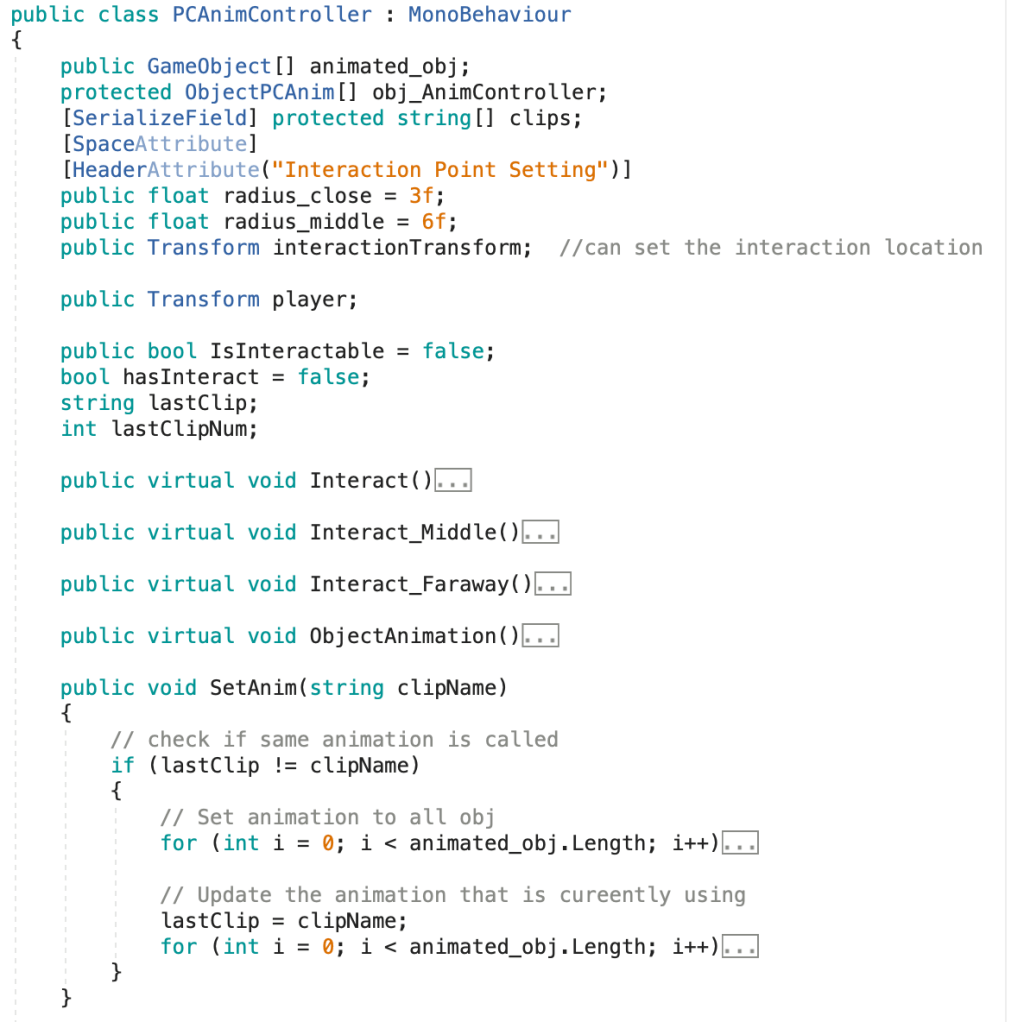
After that, I create a new class that helps me to control the above script of each component at one time.
The simple slime action controller is finished. I can apply it on the interaction with player by adding the collision detection.
And I get the following result:
Slime will open its mouth when player is around it
Slime, a shapeless liquid object, is hard to simulate its action by adding bones to the model. In order to make the slime movement looks more natural, we export the animation into .mc file and control the animation in the Unity with the help of Mega-Fiers.
I do some basic testing of Mega-Fiers to see how I can use it to control the slime animation. I split the animation into few clip, so that I can call the desired animation according to the slime action.
Since the time is rush for us to finish the whole project, I have to chase the progress of what I did before. I set a target that is to convert the game project into 3D video game in one week.
First, I change the rendering principle from LWRP to HDRP (High Definition Render Pipeline) which is more suitable for PC game and provide more detail of the model.
Therefore, I spend a day to reset all material and shader graph to suit the need of HDRP.
in-process
Here is the different between LWRP(left) and HDRP(right).
I import the street lamp to test if it can light other other by emission texture only. And I find that it can’t light other object unless I add a lighting inside the street lamp (create a spot light and make it parent to the street lamp).
And then I find out that it is wried to have a strong lighting but without volumetric cone. Therefore, I ask my groupmate to make a cone for me. And I set the material to a shader graph to make a fake volumetric light. I follow this Youtube video to make this shader graph.
volumetric light shader graphStreet lamp with volumetric light, spot light and particle system
I add the post processing element on the camera to explore the function of it. This element can easily change the game atmosphere. But there is some effect will blur the transparent pixel which make the volumetric light of the street lamp less realistic.
Character Clothes
I also want to apply glowing effect on our character’s clothes to make it more futuristic. Therefore, I made a shader graph like this.
shader graph with glowing and hologram effect
And it was crazy when I applied this material on our character.
The problem probably caused by the model. Since the whole object using the same material. If I want to apply the material on the hoodies only, the model should be divided into different part and use different material. After we fixed the model, the result is quite cool.





 Afterworld